
Performance#
Conda's performance can be affected by a variety of things. Unlike many package managers, Anaconda’s repositories generally don’t filter or remove old packages from the index. This allows old environments to be easily recreated. However, it does mean that the index metadata is always growing, and thus conda becomes slower as the number of packages increases.
How a package is installed#
While you are waiting, conda is doing a lot of work installing the packages. At any point along these steps, performance issues may arise.
Conda follows these steps when installing a package:
Downloading and processing index metadata.
Reducing the index.
Expressing the package data and constraints as a SAT problem.
Running the solver.
Downloading and extracting packages.
Verifying package contents.
Linking packages from package cache into environments.
Therefore, if you're experiencing a slowdown, evaluate the following questions to identify potential causes:
Are you creating a new environment or installing into an existing one?
Does your environment have pip-installed dependencies in it?
What channels are you using?
What packages are you installing?
Is the channel metadata sane?
Are channels interacting in bad ways?
Improving conda performance#
This section goes over some of the best practices we recommend for addressing performance challenges.
Make your package specifications more narrow.
For example, instead of
numpy, we recommendnumpy=1.15or, even better,numpy=1.15.4.Make sure you have libmamba set as your dependency solver. The conda libmamba solver was made the default solver in conda v23.9. It is a faster and more efficient solver than conda's classic solver, especially for large environments.
To check which solver you have, run the following command:
conda config --show solver
If libmamba is set as your solver, you will see the following:
solver: libmambaIf you don't have libmamba set as your solver, follow these steps to enable it:
Make sure
conda-libmamba-solveris installed in your base environment:conda install --name base conda-libmamba-solver
Set libmamba as your default solver:
conda config --set solver libmamba
Tip
You can also use the libmamba solver temporarily when installing a package:
conda install --solver=libmamba package_name
For more information on conda's solver options, see Solvers.
Configure channels to minimize conflicts.
Channel configuration has a significant impact on solver performance and environment reproducibility. We recommend using a single channel as your default, such as
conda-forgeordefaults, but not both. Mixing channels in your global configuration increases solver search space and the risk of incompatible packages.For more information on channel configuration, see Channel configuration best practices.
If you must use both
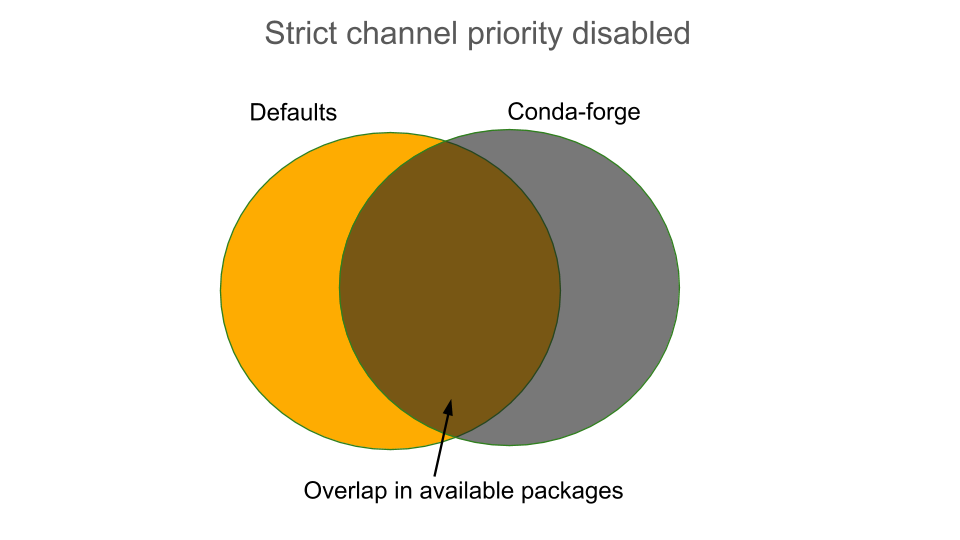
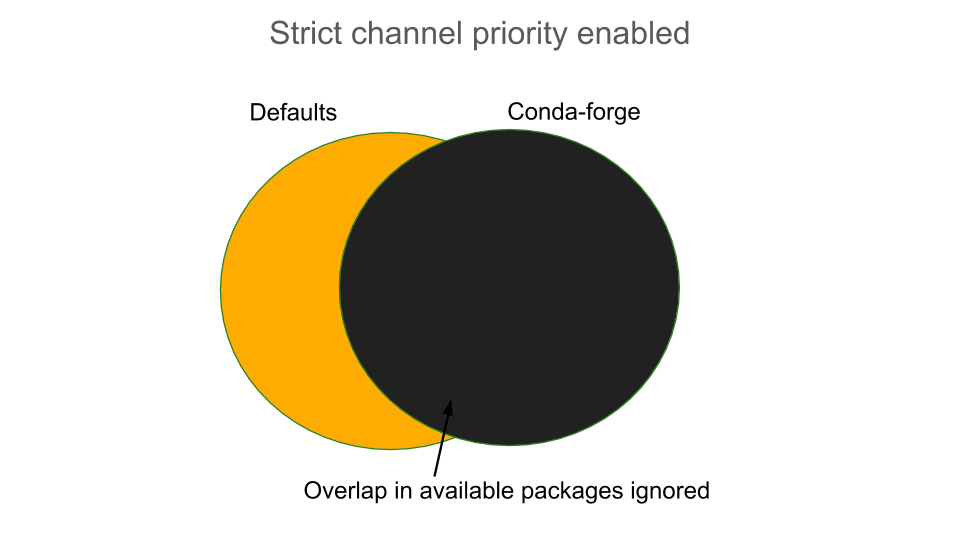
defaultsandconda-forgein your channel list, setting strict channel priority reduces solver search space and helps prevent mixed-channel environments:conda config --set channel_priority strict
Warning
Strict channel priority can make some environments unsatisfiable and blocks fallback to lower-priority channels when a package with the same name exists in a higher-priority channel. To learn more about strict channel priority and channel configuration, see channel configuration best practices.
Enable sharded repodata. This splits your repodata into multiple small files and fetches only what is needed, which dramatically speeds up environment creation and updates. Learn more in CEP 16.
Note
This option is currently available for conda-forge and prefix.dev for all channels as of March 2026.
Follow these steps to opt-in to sharded repodata:
Update conda-libmamba-solver, if needed:
conda install --name base "conda-libmamba-solver>=25.11.0"
Set the
use_sharded_repodataplugin totrue:conda config --set plugins.use_sharded_repodata true